Time tracking for your Mac, without timers

Where does your work time actually go?

Wime showed me where my days go. At my desk I wanted the same answer for my work: which projects, which apps, and how much of it was real focus. Wime Desk writes that down on its own while I work.

Coming soon to theMac App Store See how it works
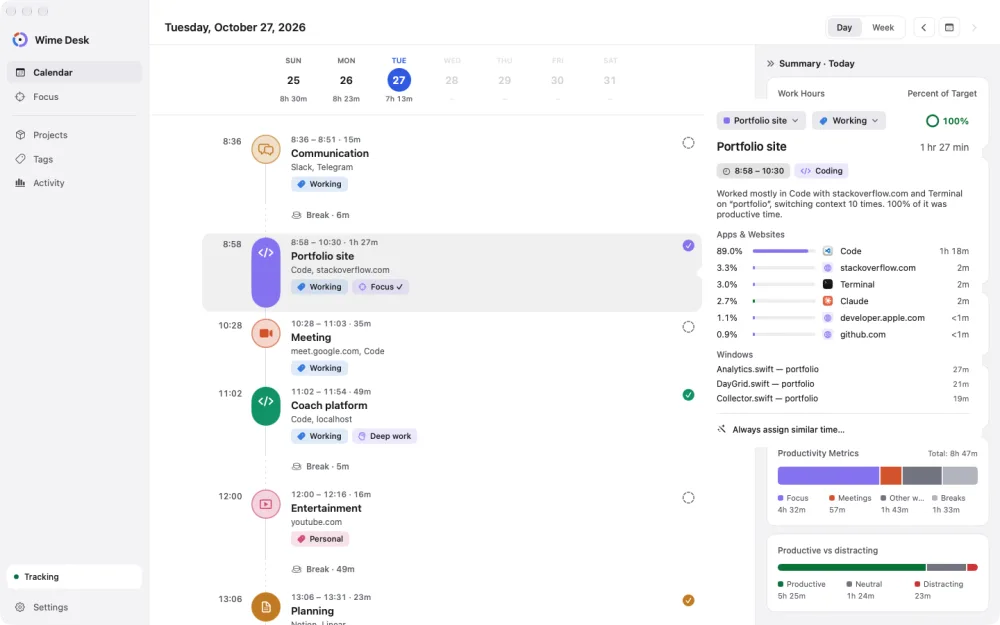
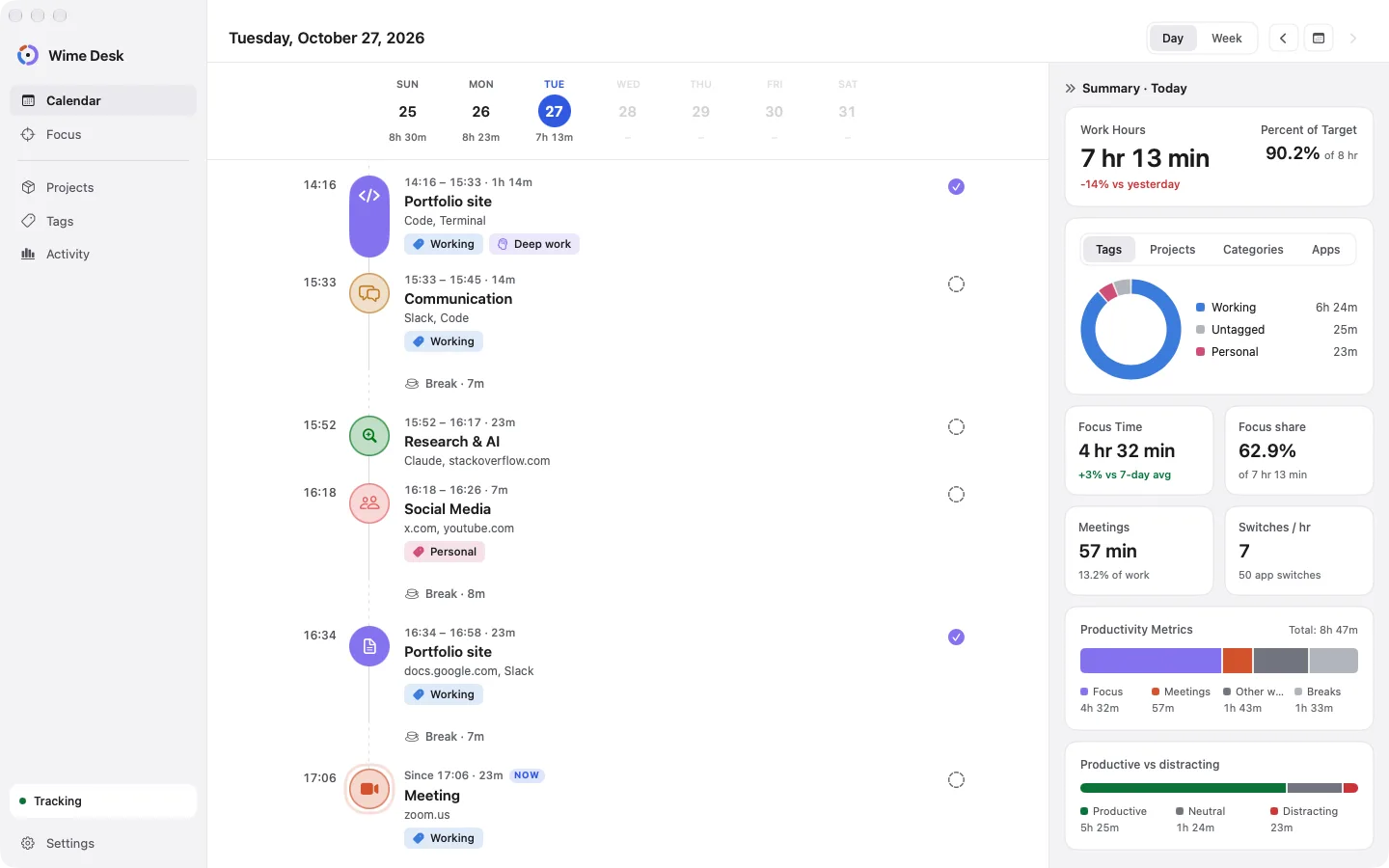
Wime Desk day view: a timeline of the day's work, each entry with its time, apps and tag
How it works

Open it once. Your day fills in by itself.

Wime Desk notices which app is in front and what you're working on, then groups it into a timeline you can read at a glance.

A timeline that builds itself
Your day

A timeline that builds itself

Every stretch of work becomes an entry with its time, title and length, and the breaks between them show up as gaps. Click an entry to see which apps and sites went into it.

No timersRuns in the background
Teach it once, and it files your time
Projects and tags

Teach it once, and it files your time

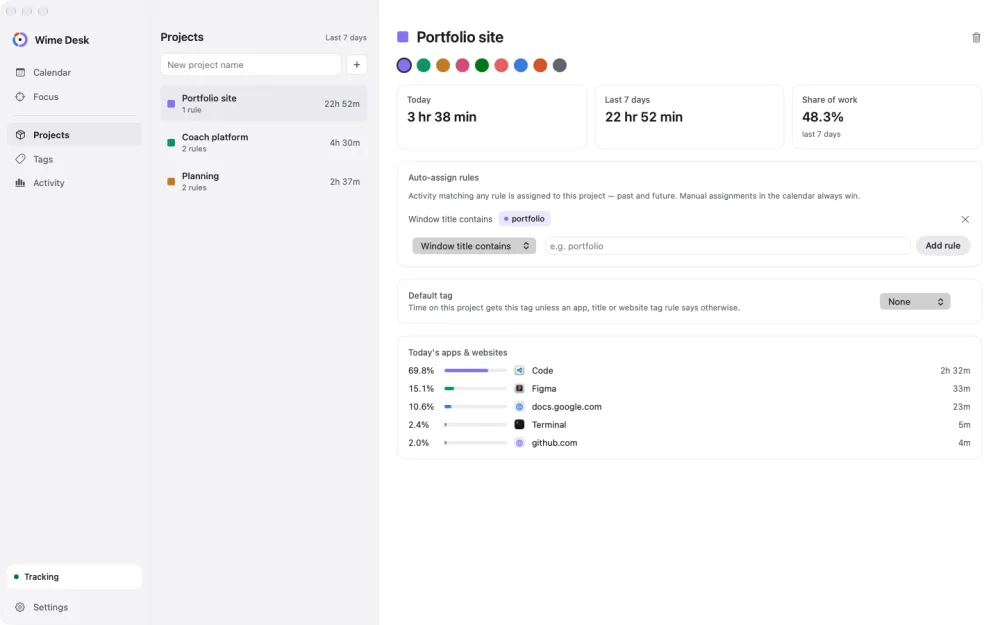
Tell Wime Desk that a window title, an app or a site belongs to a project, and matching time lands there from then on, past days included. Tags like Working, Studying and Personal give you the bigger picture.

Rules by app, title or siteYour own tags
A focus timer that notices when you drift
Focus

A focus timer that notices when you drift

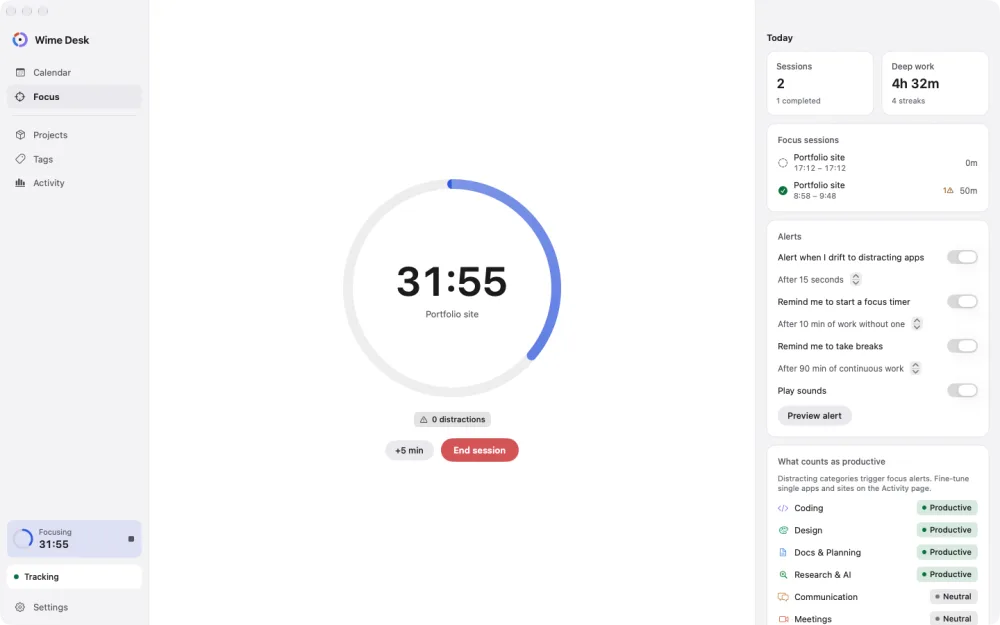
Start a 25, 50 or 90 minute session. If you wander off to a distracting app, a small alert brings you back. Work for a while without a timer and it offers to start one, and after a long stretch it reminds you to take a break.

Distraction alertsFocus and break reminders
Your day and week in numbers
Your week

Your day and week in numbers

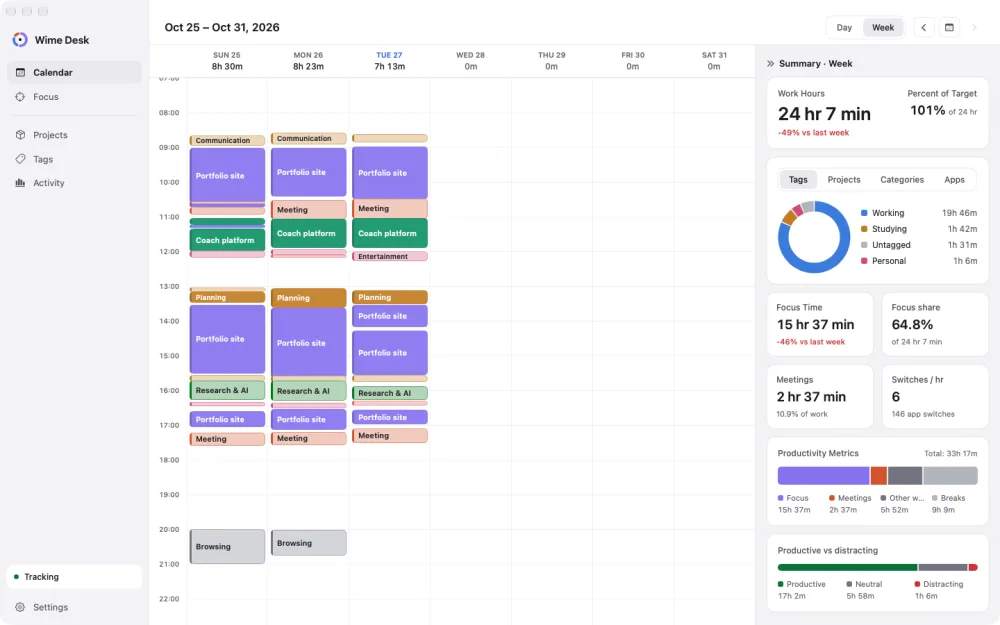
Hours worked against your daily target, time by tag, project, category and app, deep work, meetings, and how often you switch apps.

By tag and projectDeep work
Your time, on the desktop
Widgets

Your time, on the desktop

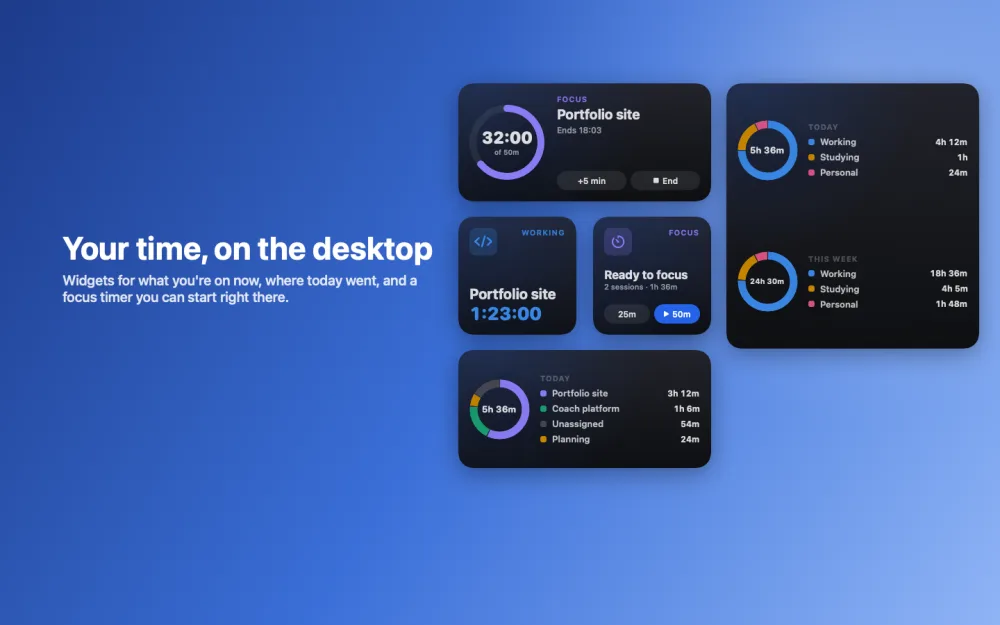
Desktop widgets show what you're working on right now, where today and this week went, and a focus timer you can start without opening the app.

NowTime breakdownFocus timer

In the menu bar

Today's total and the focus countdown, with quick-start buttons, one click away.

Light and dark

Follows your Mac, or pick one in Settings.

Private apps and sites

Mark an app or site private and its time still counts, without keeping titles.

A native Mac app

Built for macOS 14 Sonoma and later, on Apple silicon and Intel.

Privacy

Your data stays on your Mac

Wime Desk keeps its records in a database on your Mac. The app has no network access at all, so nothing it records can leave your computer.

No account. No sign-up and no email address.
No network. The app can't connect to the internet.
No screenshots. It reads window titles, never what's on your screen.
Erase it any time. Settings, then Delete all data, removes everything.

Read the privacy policy

Price

Pay once

One payment, then it's yours. No subscription and no in-app purchases.

Wime Desk
$4.99 once
Every feature, with updates, on every Mac signed in to your Apple ID.

Price in US dollars. The App Store shows the price for your country.

Questions

Good to know

Does Wime Desk send my data anywhere?

No. The app has no network access. Everything it records stays in a database on your Mac.

Why does it ask for Screen Recording?

macOS only shares window titles with apps that have Screen Recording permission. Wime Desk uses it to read titles, like a document or project name, so time can be matched to projects. It never captures or saves images of your screen. Without it, Wime Desk still tracks which apps you use.

Does it track websites?

It recognizes common sites from the browser's tab title, like YouTube, GitHub or Gmail, and counts that time in the right category. It doesn't read your browsing history.

Is it the same as Wime?

Wime tracks the places you go, on iPhone. Wime Desk tracks your work on the Mac. They're separate apps from the same developer and don't share data.

Can I use it on two Macs?

Yes. One purchase covers every Mac signed in to your Apple ID. Each Mac keeps its own history.
Get Wime Desk

See where your work time really goes.

Install it, leave it running, and look back at the end of the day.

Coming soon to theMac App Store